Fix "We Couldn't Install a Required Dependency" in League of Legends (2026)
The Riot Client's most annoying install error — fixed in eight steps.
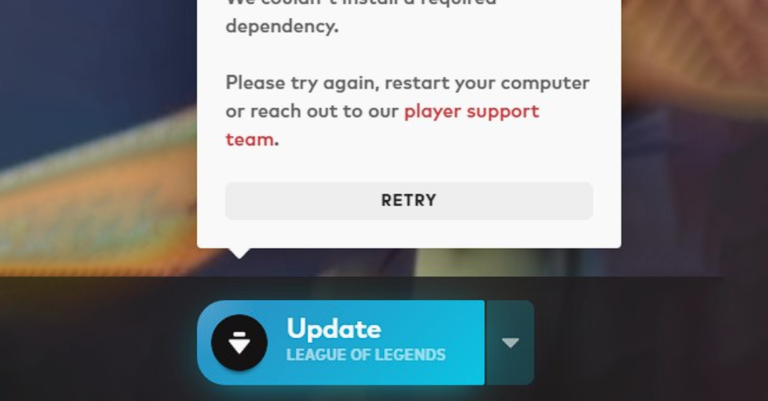
Nothing kills the mood like installing League of Legends and hitting "We couldn't install a required dependency". The good news: it's almost always your firewall, antivirus, or a stuck Riot Client process getting in the way — not a broken PC. Work through these steps in order.
- Temporarily disable your firewall. Press the Windows key, search Firewall, open Windows Defender Firewall, and turn it off for both private and public networks — just for the install.
- Temporarily disable your antivirus. Right-click its icon in the system tray and choose Disable or Pause protection. Remember to turn it back on when you're done.
- Fully exit the Riot Client. Right-click the Riot Client icon in the system tray and choose Exit. Check Task Manager to make sure no
RiotClientServices.exeprocess is still running. - Open the League folder directly. In File Explorer, go to
C:\Riot Games\League of Legends(or wherever you installed it). - Launch as administrator. Right-click
LeagueClient.exe→ Run as administrator. This lets the client install the missing dependencies with proper permissions. - Wait patiently. Let it download and verify files. This can take a while on slower connections — don't close it mid-way.
- Close the League client once everything is downloaded (click the X, confirm the prompt).
- Launch the Riot Client normally — double-click it and let it load. The error should be gone. Hit Play.
Why does this happen?
The Riot Client downloads several helper components during installation. If your firewall or antivirus quarantines one of them — or a half-closed client locks the files — the installer can't finish and throws the dependency error. That's why the fix is about getting blockers out of the way, not about your hardware.
Frequently asked questions
Is it safe to disable my firewall and antivirus?
Will I lose my account or settings?
Does this work for Valorant too?
Conclusion
Nine times out of ten, this error is a permissions problem, not a broken game. Disable the blockers, run as admin, let it finish — you'll be on the Rift in no time. Good luck, have fun.